




Beginner DMX512 Lighting Setup Guide for Small Events and Home Parties
Beginner DMX512 Lighting Setup Guide for Small Events and Home Parties
A few years ago, most people associated DMX lighting with clubs, concert stages, or large event productions.
Now it's showing up almost everywhere.
From apartment parties and gaming rooms to birthdays, bars, and small private events, more people are using DMX512 lighting to create immersive atmospheres without building a full professional stage setup.
And honestly, once you see the difference, it makes sense.
The right lighting can completely change how a room feels.
A basic living room suddenly feels cinematic. A small gathering feels like an actual event. Even a compact space can feel energetic and immersive with synchronized lighting effects.
That's exactly why DMX512 has become one of the most useful tools for modern atmosphere lighting.
What Is DMX512?
DMX512 is a digital communication protocol used to control entertainment lighting systems.
It allows multiple devices — including:
- RGB PAR lights
- laser projectors
- moving heads
- strobe lights
- haze machines
to communicate together through a unified control signal.
Instead of every light running separately, DMX makes the entire setup work together in sync.
The standard is widely used throughout the entertainment lighting industry.
For official technical information about the DMX512-A protocol, the Entertainment Services and Technology Association (ESTA) DMX standards resources provides detailed documentation and industry standards.
Why DMX Lighting Looks More Professional Than Auto Mode
Most beginner party lights include:
- Auto Mode
- Sound Active Mode
- Remote Control
Those features are great for casual use.
But once multiple lights are involved, the setup can quickly feel uncoordinated.
Colors clash.
Effects move randomly.
Nothing feels connected.
DMX changes that completely.
With a proper DMX512 lighting setup, you can synchronize:
- color transitions
- beam movement
- strobe timing
- movement speed
- music-reactive effects
The room instantly feels more immersive and intentional.
That's the difference people notice immediately at events.

The Basic DMX512 Concepts Beginners Should Understand
DMX can sound technical at first because of terms like:
- channels
- addresses
- controllers
But the basics are actually straightforward.
What Is a DMX Channel?
A DMX channel controls a specific function of a lighting fixture.
For example, an RGB PAR light may use:
| Channel | Function |
|---|---|
| CH1 | Red |
| CH2 | Green |
| CH3 | Blue |
| CH4 | Brightness |
| CH5 | Strobe |
Changing the value of each channel changes the behavior of the light.
That's how DMX controllers create dynamic lighting scenes.
What Is a DMX Address?
A DMX address tells the controller where each fixture begins receiving commands.
For example:
- Light 1 → Address 001
- Light 2 → Address 006
- Light 3 → Address 011
This prevents fixtures from overlapping signal ranges.
Incorrect addressing is one of the most common beginner mistakes.
A Simple DMX Lighting Setup for Small Events
For small venues and home parties, you do not need complicated equipment.
In fact, some of the best atmosphere setups are surprisingly minimal.
A beginner-friendly setup often includes:
1. Two RGB PAR Lights
These create:
- ambient wall color
- room depth
- background atmosphere
They work especially well in:
- apartment parties
- gaming rooms
- birthdays
- small event spaces
Position them near corners or behind the main activity area for wider coverage.
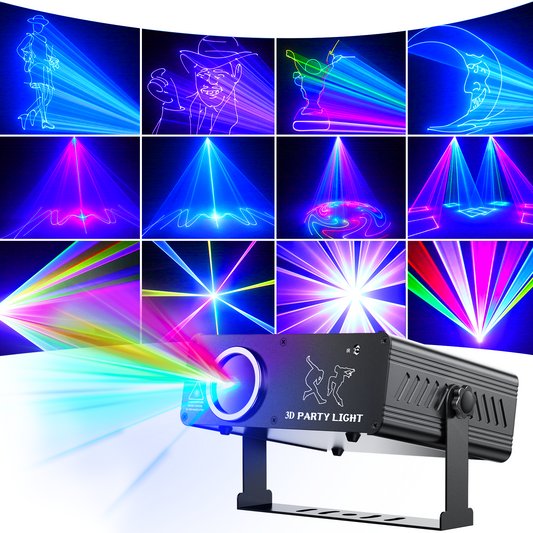
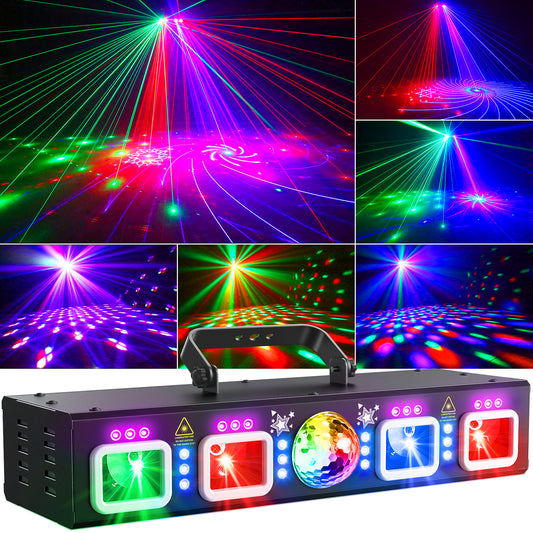
2. One Animation or Laser Light
This becomes the dynamic centerpiece of the setup.
Laser effects add:
- movement
- beam effects
- visual energy
- immersive atmosphere
Especially when synchronized with music.
For home parties, compact music-sync laser lights often create a bigger impact than simply adding more LEDs.
3. A Fog or Haze Machine
This is the part many beginners underestimate.
Without haze, laser effects mostly appear on walls or ceilings.
With light haze in the air, the beams themselves become visible — creating a far more cinematic and professional atmosphere.
For indoor event ventilation and air quality considerations, the OSHA indoor air quality guidance provides useful recommendations for enclosed environments.
How DMX512 Devices Connect Together
A standard DMX signal chain usually looks like this:
Controller → DMX IN → DMX OUT → Next Fixture
Each fixture passes the signal to the next one in sequence.
This is called daisy-chain wiring.
Common DMX Beginner Mistakes
Even experienced users make these errors when starting out. Here are the three most common mistakes to avoid.
Using Audio Cables Instead of DMX Cables
This happens constantly.
While microphone cables sometimes appear to work, they are not designed for stable DMX signal transmission.
This can lead to:
- flickering
- unstable behavior
- delayed responses
- random signal issues
Whenever possible, use proper DMX cables designed for lighting systems.
The official ANSI E1.11 DMX512-A standard overview explains the protocol specifications and signal requirements in more detail.
Setting Every Fixture to the Same Address
If every light shares the same DMX address, they will all behave identically.
That can be useful for synchronized effects, but it removes independent control.
For more flexible setups, each fixture should have its own address range.
Ignoring DMX Terminators
In longer cable runs, signal reflection can create instability.
Professional lighting setups often add a DMX terminator to the final fixture in the chain to reduce signal interference and improve stability.
How to Make a Small Venue Lighting Setup Look More Expensive
One of the biggest mistakes beginners make is simply adding more lights.
More fixtures do not automatically create better atmosphere.
What matters most is layering.
A balanced small venue setup usually combines:
- ambient wash lighting
- dynamic movement
- beam visibility
- synchronized rhythm
For example:
- PAR lights create room color
- laser lights create movement
- haze creates depth
Even a compact setup can feel highly immersive when those elements work together.
Why Home Party Lighting Has Changed
A few years ago, most people focused mainly on brightness.
Now people care more about atmosphere.
Especially in:
- house parties
- apartment gatherings
- gaming setups
- birthdays
- social spaces
The goal is no longer just "lighting a room."
It's creating a space that feels different from everyday life.
That's why synchronized DMX lighting has become increasingly popular even outside professional stage environments.
Beginner Tips Before Buying DMX Lighting
If you're completely new to DMX512, start simple.
You do not need a massive lighting rig.
A small setup with:
- two RGB PAR lights
- one laser projector
- basic DMX control
- light haze
is already enough to completely transform a room.
The most memorable events are rarely the ones with the most equipment.
They're the ones where the atmosphere feels alive.
FAQ
Is DMX512 difficult for beginners?
Not really. Once you understand channels and addresses, the basics become surprisingly easy to learn.
Do I need a DMX controller for every setup?
No. Many beginner fixtures support sound-active or auto modes. But DMX control provides much better synchronization and customization.
What lighting works best for small events?
A combination of RGB PAR lights, laser effects, and haze usually creates the best balance for small venues and home parties.
Can DMX lighting work in small apartments?
Yes. Compact DMX-compatible fixtures are now commonly used in apartments, gaming rooms, and home entertainment setups.